
Document backup for a small business. A simple system that can save your files
Every year, companies lose important documents because of failed drives, accidental deletion or simple user mistakes. Many of these problems do not start with a cyberattack or a complex technical failure. The cause is usually much more ordinary: important documents exist in only one place.
If all important files are stored on one computer only, you do not have a backup. You have a single point of failure.
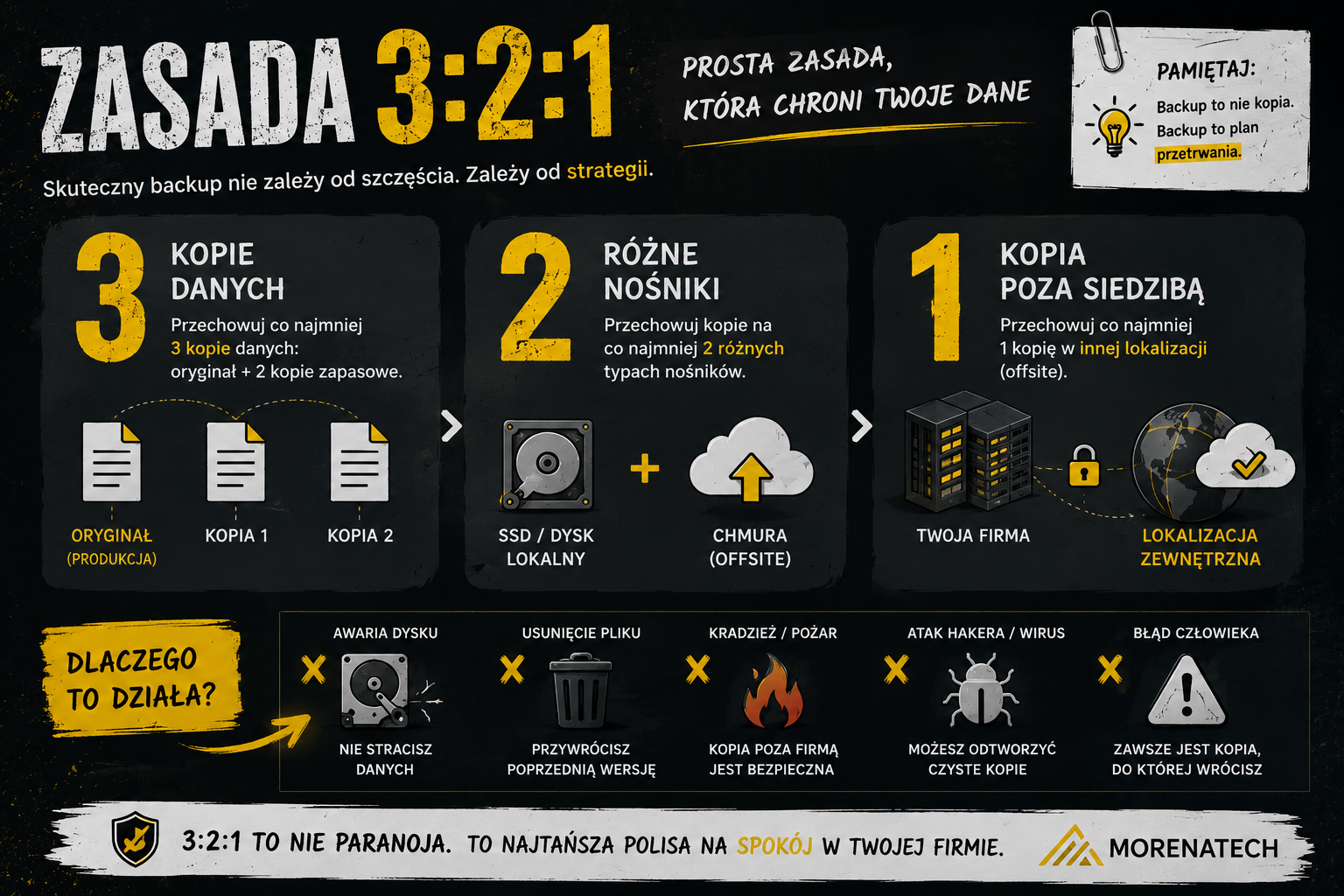
The most common mistake
In many small businesses, the situation looks similar: documents are saved on the owner's computer, some files live in email inboxes, some are copied to USB drives and some are scattered across different folders on different machines.
As long as everything works, the problem is invisible. It becomes very visible when a drive fails, a computer is stolen or someone accidentally deletes an important folder.
At that point, data recovery may cost a lot of money or may not be possible at all.
A simple system for a small business
You do not need expensive servers or complicated software. For many small businesses, a simple setup is enough.
If the company already works in Google tools, our Google Workspace and Apps Script service is usually the right place to start organizing files, access and basic workflows.
1. Keep documents in one central place
Use a cloud-based workspace such as Google Drive or OneDrive.
The key point is simple: employees should not store important business documents only on their local computers. If everyone has their own folder structure, their own desktop and their own file naming habits, the company quickly creates a digital basement.
2. Organize your folders
A simple structure may look like this:
Clients / 2026 / Company A
Clients / 2026 / Company B
Contracts
Invoices
HR
Marketing
After a few months, a clean folder structure saves more time than many productivity apps. It is boring, but it works. In business IT, boring and reliable often beats magical and impossible to maintain.
3. Check whether files can be restored
File sync alone is not enough. Make sure that deleted files can be restored, document version history is available and an administrator can recover user data if needed.
Sync is not always backup
4. Test recovery once a month
This is the step most companies skip.
Try restoring one sample document. If you do not know how to do it, you do not really know whether your backup works.
A backup that has never been tested is closer to hope than to a procedure.
What does the lack of backup cost?
The cost of a simple backup process for a small business is usually small compared with the cost of losing documents.
The lack of backup may mean losing client history, contracts, project documentation, HR files or several days of interrupted work.
This is one of those areas where a small amount of order protects the business from very expensive chaos.
Where automation helps
A backup process does not have to stop at folders. A small company can also automate document intake, reminders, file naming or reports about missing files.
If documents are part of a larger operational process, see our automation for business page.
Summary
If documents exist only on one computer, they are not safe.
A good starting point is central file storage, a clear folder structure, recovery options and a regular restore test.
You do not need corporate infrastructure. In most small businesses, a simple and well-designed process is enough.
Next step
Want to check whether your documents are really safe?
MorenaTech helps small businesses organize document workflows, implement Google Workspace and build simple backup and automation processes.
Semantically related materials